Grapple Sniper Arena Controls & Settings
How to set up sniper, grapple, and melee inputs across PC, mobile, and console.
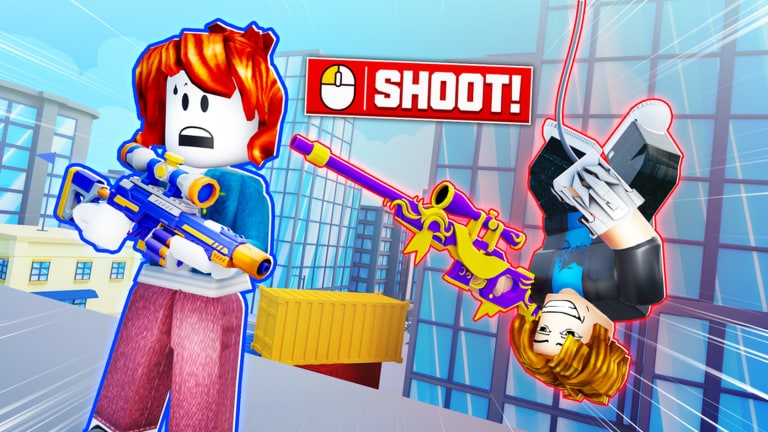
Grapple Sniper Arena asks your hands to do three jobs at once: aim a sniper, fire a grapple, and finish with melee or dropkick timing. Because Roblox experiences ship on PC, Mobile, Tablet, Xbox, and PlayStation, there is no single universal key chart that stays correct forever. Developers can remap prompts, and your device may overlay its own defaults. This guide explains what to expect, how to audit binds in settings, and which habits transfer across platforms.
Always open the in-game settings menu after joining and confirm the live labels for shoot, aim, jump, crouch or slide if present, melee or knife, and grapple. If anything on this page disagrees with your client, trust the client. Our goal is readiness, not a brittle spreadsheet.
What every platform must cover
Regardless of input method, you need reliable access to these actions:
- Look / camera — track airborne targets while you swing.
- Move — strafe during peeks and break line of sight after misses.
- Jump — start vertical hooks and dodge predictable shots.
- Fire sniper — primary elimination tool at mid and long range.
- Aim down sights (if available) — tighten shots when you have time to plant.
- Grapple — traverse and latch enemies for dropkick setups.
- Melee / knife / dropkick context — close the fight when a hook lands.
If any of those actions share a awkward chord on your device, rebind before you blame aim. Bad binds feel like bad skill.
PC expectations (keyboard and mouse)
Most PC Roblox shooters place movement on WASD, jump on Space, fire on left mouse, and aim on right mouse. Grapple and melee often sit on easy reach keys such as Q, E, F, V, or side mouse buttons, but Grapple Sniper Arena may differ. After spawn:
- Open settings and list every combat bind.
- Put grapple on a key you can hit while still steering the mouse.
- Put melee on a key that does not force you to leave WASD entirely if possible.
- Lower mouse sensitivity until a full swipe turns less than a full circle; mid-air tracking needs control more than twitch spins.
- Disable any assist or camera options that fight your intentional flicks if the menu exposes them.
PC players usually enjoy the cleanest sniper precision. Use that advantage, but do not stand still. A perfect crosshair on a motionless body still loses to a grappled dropkick from the flank. Pair this page with aim tips and grapple movement.
Mobile and tablet expectations
Touch layouts typically split movement on a left virtual stick and camera on right-side drag, with fire, aim, jump, and ability buttons around the edges. Crowded thumbs cause the most deaths on phone.
Practical mobile habits:
- Enlarge or reposition the grapple button so you can hook without covering your own sight picture.
- Keep fire reachable with the same hand that adjusts camera if your layout allows.
- Reduce camera sensitivity slightly compared to slower Roblox experiences; airborne enemies move fast here.
- Play in landscape with a stable grip. One-handed portrait play makes dropkick timing miserable.
- Consider a clip-on trigger or higher friction case if you already use them for other shooters — only if allowed by your comfort, not as a requirement.
Tablet gives more screen for buttons and peeks. Use the extra space to separate grapple from fire so you stop mis-tapping mid fight. After a few matches, revisit settings; most mobile improvement comes from layout, not magic aim.
Xbox and PlayStation expectations
Controller players should expect sticks for move and look, triggers for aim and fire in many Roblox shooters, and face or bumper buttons for jump, melee, and abilities. Again, verify inside Grapple Sniper Arena rather than copying another game.
Controller tips that transfer well:
- Lower look sensitivity until tracking a swinging player feels smooth.
- Map grapple to a bumper or paddle-like easy button if remapping exists; you will spam it for travel.
- Practice hooking while holding a slight stick drift so you land facing the enemy for the dropkick.
- Use short tap ADS for peeks and longer holds only when a lane is clear.
Console lobbies still share the thirteen-player server size, so third parties arrive just as often. Your advantage is consistent analog movement; your risk is slower fine aim than mouse. Lean on grapple aggression and the dropkick guide to shorten fights.
Settings checklist before ranked-feeling lobbies
Run this list every time you switch devices:
- Confirm graphics level does not hide enemy silhouettes in skyboxes or dark corners.
- Set sensitivity for both hip and ADS if the menu splits them.
- Test grapple once on empty geometry, once toward a dummy fight if available, or a distant player you do not mind missing.
- Verify mute or voice options — this experience notes voice chat is not the focus; rely on movement reads.
- Recheck binds after any updates patch that mentions controls or UI.
Linking controls to real fights
Controls only matter when they serve decisions. In Free For All you want grapple and fire available without menu diving so you can chase or escape instantly — see the FFA guide. In Capture the Flag, defenders need fast swaps between watching a lane and hooking a runner — see the CTF guide. New players should finish getting started first, then return here when a specific button still feels wrong.
If you are hunting cosmetics rather than binds, Coins and skins are covered in skins and Coins. Codes still redeem through Gear or M → ENTER A CODE → REDEEM on the codes page when active strings exist.
Honesty about missing exact key tables
Publishing a fake definitive key table would mislead more than it helps. Roblox clients, platform overlays, and experience updates change labels. The professional approach is: learn the action set, confirm binds every session, and build muscle memory around the actions rather than around a wiki screenshot. When friends ask for your binds, share a photo of your settings panel, not a memorized blog post.
Master the inputs, then spend your practice time on grapple movement, aim tips, and mode strategy. Clean controls make those guides usable; dirty controls make every tip feel impossible.
Frequently Asked Questions
Quick answers to the most common Grapple Sniper Arena questions.
Why does this guide not list exact default keys?
Binds vary by device and can change with updates. Open in-game settings after you join and confirm shoot, aim, jump, melee, and grapple on your client.
What should I rebind first on PC?
Put grapple on a key you can press while still aiming with the mouse, then place melee nearby so hook-to-dropkick combos stay fluid.
How do I improve mobile controls?
Play landscape, separate grapple from fire on the touch layout, and lower camera sensitivity until airborne tracking feels controllable.
Do console players need different strategies?
Yes. Lean on analog movement and grapple aggression while accepting slightly slower fine aim than mouse, and verify trigger and bumper binds in settings.
Where should I go after fixing my binds?
Practice with the grapple movement and aim tips guides, then apply the habits in Free For All before specializing in Capture the Flag.