Grapple Sniper Arena Mobile & Tablet Controls
Touch-friendly grapple, aim, and UI habits that keep you competitive.
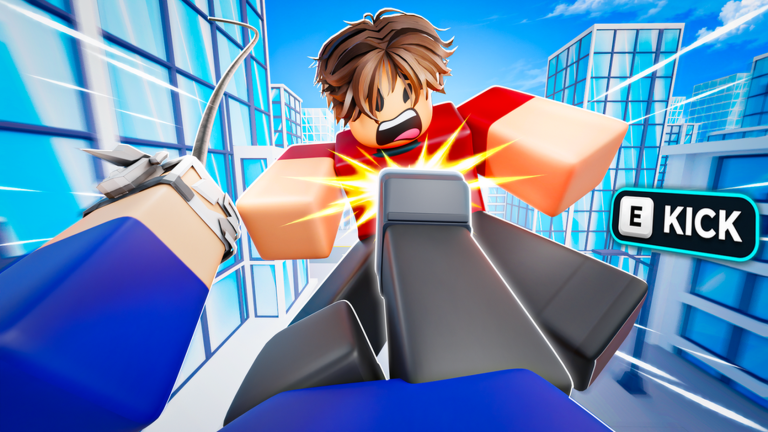
Grapple Sniper Arena fully supports Mobile and Tablet alongside PC, Xbox, and PlayStation. Touch players can climb the same Free For All and Capture the Flag ladders—if they tune UI clutter, sensitivity, and grapple timing for thumbs instead of a mouse. This guide focuses on touch aiming, on-screen controls, when tablet beats phone, and when switching to PC is the honest skill upgrade.
Start from Controls for bind overview, then return here for device-specific habits. Map angles still matter: keep the Map Guide open while you practice.
Why mobile feels harder (and how to shrink the gap)
Touch lacks the micro-flicks of a mouse and the haptic anchors of a controller. You are also fighting UI overlays that can hide peripheral enemies. Accept those constraints, then stack advantages mobile does have:
- You can play more sessions, which means more grapple reps.
- Gyro (when enabled on your device / Roblox settings) can stabilize fine aim.
- Shorter sessions between classes or commute breaks keep warm-up fresh if you use a real checklist.
Do not chase aimbot scripts to “fix” touch aim. Exploiting risks a permanent ban—see Scripts and Script Safety. Fair settings plus movement IQ beat a banned account.
First-load setup checklist
- Join a low-stakes Free For All lobby from the official experience.
- Open Gear (or the on-screen settings entry) and confirm look sensitivity is not maxed.
- Enable any available lock shift / gyroscope options you are comfortable with; test for ten seconds before a real fight.
- Lower graphics if frames hitch during grapples—stable 30+ smooth beats pretty 20 stutter when latching.
- Note where grapple, fire, aim, and jump sit so your thumbs never hunt mid-swing.
- Confirm the code path still works for later: Gear → scroll → ENTER A CODE → REDEEM (detailed in How to Redeem).
Save a settings checklist run before ranked ego nights so one accidental reset does not ruin your session.
Touch aiming habits that transfer
Crosshair placement. Keep the reticle at head or upper-chest height while swinging. Dragging up from the floor after every landing is how mobile players lose duels they already positioned for.
Short peeks. Take one shot, then thumb the grapple immediately. Holding ADS while standing still is harsher on touch because tracking corrections are slower.
Two-thumb discipline. Dedicate one thumb to camera / aim and the other to grapple / fire clusters. Three-finger claw helps some tablet players; only adopt it if you can still hit the grapple button under stress.
Sensitivity brackets. If you overflick past heads, lower look speed until a half-swipe turns roughly ninety degrees on your device. If you cannot track a strafing target, raise slightly—then retest mid-grapple, not only while standing. Pair with Aim Tips.
Dropkick timing. On touch, queue the kick input early as the latch completes so UI lag does not eat the window. Drill with the Dropkick Guide.
Grapple on touch without feeding
Mobile grapples feel great for traversal and dangerous for panic latches.
- Practice empty landmark hooks from the Map Guide before enemy hooks.
- Aim the grapple reticle at geometry first; thumb slip onto a random player mid-swing is a common feed.
- After latching, decide in under a second: kick, knife, shoot, or escape. Hesitation on a phone screen is fatal in a 13-player server.
- Prefer high-to-low approaches so your landing covers more of the target while your thumbs settle.
Flashy mid-air snipes are optional flair—learn them later on Trickshots once you stop dying to basic roof campers.
UI and visibility tips
- Use landscape orientation for any serious session; portrait wastes horizontal awareness.
- On phones, consider a lightweight grip or case edges so your palms do not mute touch zones.
- Dim extra HUD clutter if the client allows—more map pixels beat ornamental widgets.
- Watch thermal throttling: after twenty hot minutes, frames drop and hooks feel sticky. Pause, cool the device, then requeue.
- Headphones help; footsteps and nearby fight audio compensate for smaller screens.
Tablet players get a real edge: larger sight picture, more room for claw grips, and less thumb overlap on buttons. If you own both, practice mechanics on phone but play “serious” CTF on tablet.
Mode advice for touch players
Free For All is the best mobile classroom. Respawn fast, experiment with sensitivity, and accept that some PC players will out-flick you in pure ADS duels—beat them with better routes instead. Read the FFA Guide.
Capture the Flag rewards planned grapples over raw aim. Run flag routes you already rehearsed, clear with hooks, and let teammates with mouse aim take the longest peeks when stacked. See the CTF Guide and Players Hub for grouping habits.
When to switch to PC (or console)
Switch devices when:
- You consistently lose pure tracking duels after movement is already clean.
- You want to grind Trickshots that need pixel-level flicks.
- Touch thermal limits force low frames every match.
- You are practicing for a stack where callers expect mouse-quality info peeks.
You do not need PC to enjoy or climb. Many players main mobile successfully by leaning on movement, spawn awareness, and short engagements. Switching is a preference for ceiling, not a moral requirement.
If you do move to PC, re-run Controls and the settings checklist so keyboard grapple binds feel as automatic as your old thumb button.
Fair progression on the go
Earn Coins in normal matches and unlock Sniper / Knife / Grapple skins for clarity—not power. Skins & Coins explains buy order. Check Codes when drops appear; there are still no active codes as of late November 2026, but the redeem path is identical on mobile.
Stay update-aware via the Updates Hub. Patches around 20–23 November 2026 nudged concurrent players hard; input feel can shift slightly after movement hotfixes.
Fifteen-minute mobile warm-up
- Two minutes in a quiet corner adjusting sensitivity with horizontal swipes only.
- Five minutes of landmark grapples with no shooting.
- Five minutes of short peek → immediate re-hook drills against real players.
- Three minutes of one intentional dropkick attempt per life, then reset.
End the warm-up even if you are winning—habit quality matters more than a lucky streak on touch.
Common mobile mistakes
- Max sensitivity “because pros use high sens” on a three-inch thumb arc.
- Portrait play during CTF.
- ADS camping with no exit grapple.
- Ignoring frame drops and blaming hitreg.
- Installing shady APKs that promise touch aimbots (Script Safety).
Master clean hooks, short peeks, and spawn exits on the device you actually own. Grapple Sniper Arena was built for multi-platform queues—play the kit you have, then specialize with the Guides Hub as your skill ceiling rises.
Frequently Asked Questions
Quick answers to the most common Grapple Sniper Arena questions.
Can I play Grapple Sniper Arena competitively on mobile?
Yes. Lean on grapple routes, short peeks, and spawn awareness. Pure tracking duels favor mouse, but movement IQ closes much of the gap.
What sensitivity should I use on touch?
Start below max. A half-swipe should turn roughly ninety degrees. Retest while grappling, not only while standing still.
Is tablet better than phone?
Usually for serious sessions—larger view and more room for controls. Phones are fine for practice reps and casual FFA.
When should I switch to PC?
When you want a higher aim ceiling for trickshots or long peeks, or when your device cannot hold stable frames. It is optional, not required.
How do I redeem codes on mobile?
Open Gear settings, scroll to ENTER A CODE, type carefully, tap REDEEM. Full walkthrough: How to Redeem Codes.